 Joyrise
How Is AI Used in SEO? A Step-by-Step Checklist
 By Alexi · · 17 min read

On this page
- Who This Checklist Is For and When to Use It
- Part 1: Platform and Workflow Checks
- Part 2: AI Keyword Research Checks
- Part 3: AI Content Generation SEO and Quality Gate
- Part 4: AI On‑Page Optimization and Automated Publishing Checks
- Part 5: Measurement and AI Visibility Tracking Checks
- Common Misses and How to Catch Them
- What to Do Once Every Item Is Checked
- What Is AI for SEO?
- How Can AI Improve Keyword Research?
- How Can AI Help with SEO Content Creation?
- How Does AI Help with On‑Page Optimization?
- How Can AI Help with Link Building?
- Can AI Replace Human SEO Specialists?
- What Kind of Data Does AI Analyze for SEO?
- How Does AI Contribute to Personalized Search Results?
- What Is Answer Engine Optimization, and Why Should Enterprise Marketers Care?
- Key Takeaways
How is AI used in SEO? The short answer is that AI automates keyword research, content generation, on‑page optimization, and publishing — but that’s not an article, it’s a list of potential pitfalls. This AI SEO checklist turns broad concepts into a verification workflow: before you let any platform publish on your behalf, you confirm data access, model quality, brand‑voice handoff, quality gates, Webflow publishing fit, and AI‑search visibility tracking. By the end, you’ll have a single, checkable document you can run against any tool or agency — and you’ll spot the gaps ranking pages skip.
Who This Checklist Is For and When to Use It
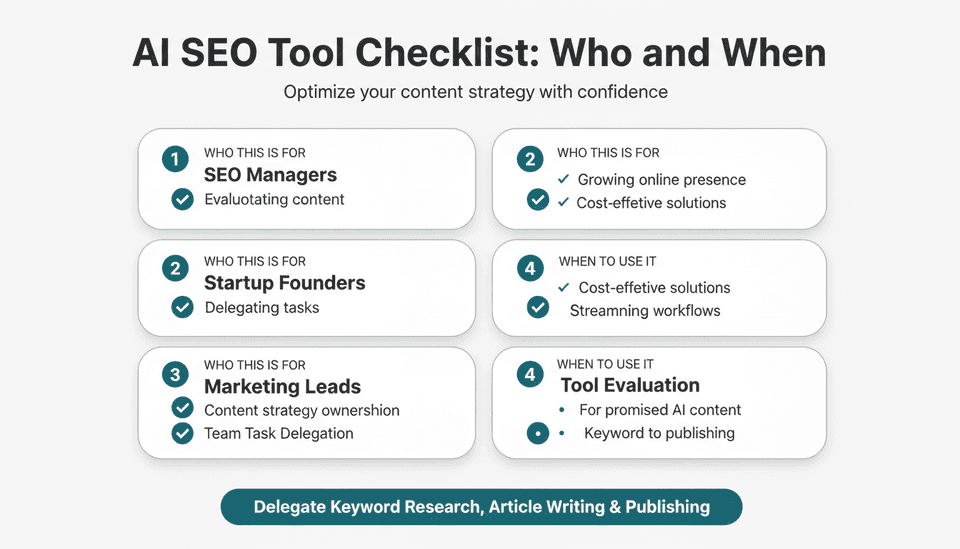
This checklist is for SEO managers, startup founders, and marketing leads who are evaluating — or already paying for — an AI SEO tool or service that promises automated content creation and publishing. It assumes you want to delegate keyword research, article writing, and even daily posting to an SEO automation platform, but you also need controls that keep your brand voice intact, facts correct, and AI‑search visibility measurable.
Use this checklist:
- During a vendor trial, before you commit to a monthly plan.
- When you’ve just onboarded and want to harden the workflow before auto‑publishing.
- After an algorithm update or major site change, to re‑verify each step.
It’s written for the operator who signs the contract and the finance lead who wants to see cost‑per‑article math before scaling. Every item is a single, checkable action. None of them requires you to be an AI expert. For additional depth, consider The Ultimate 82-Point Checklist for SEO & AI Visibility by Ahrefs.
Part 1: Platform and Workflow Checks
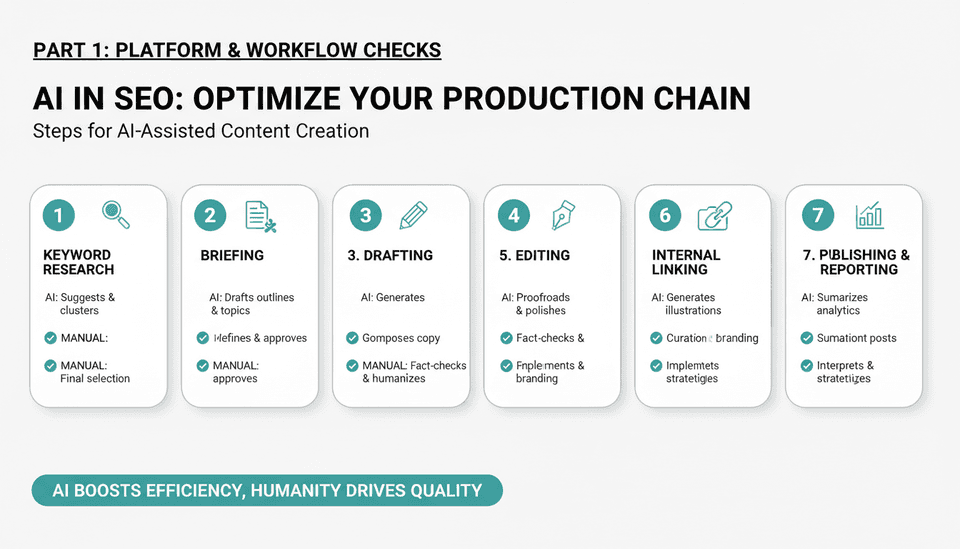
Confirm What AI Will and Won’t Touch in Your SEO Workflow
- List every step in your current SEO production chain — keyword research, briefing, drafting, editing, image creation, internal linking, publishing, and reporting.
- Mark which steps you intend to hand to the AI and which you will keep manual. Be explicit: for example, “AI will propose a topic cluster, but I will approve the final list” or “AI will generate meta descriptions, but I’ll review the first 10.”
- Confirm the platform can skip the steps you want to keep manual. If the platform forces all‑in‑one without a draft‑review stage, treat that as a decision point, not a bug.
Why it matters: A platform that can’t pause before publishing will eventually push a hallucinated stat or a tone‑deaf headline. A checkable scope boundary prevents the, “I didn’t know it would go live” moment.
Verify Data Access, Model Quality, and Webflow Publishing Fit
- Test the platform’s site scan: does it pull your existing URL structure, categories, and internal link graph? Check that it recognizes your important pages (pricing, product features, case studies).
- Ask what model underpins the content generation. Acceptable answers in late 2026 are a fine‑tuned frontier model or a well‑documented chain of multiple models. Avoid platforms that refuse to name the model or that use a single generic model with no domain‑specific tuning.
- If you publish on Webflow, verify the integration: can the platform push live posts directly to your Webflow CMS, or only to a staging collection? Confirm that published articles inherit your existing design templates and that no orphaned CSS is injected.
- Run a test post with a designated slug, featured image, and author name and check the live URL after publishing.
- Confirm that the platform’s AI images — header visuals and infographics — are created with a model that produces commercially safe, non‑infringing graphics. Ask for the model name and a sample license statement.
- Also, ensure your technical foundation meets AI search requirements — review The Technical SEO Checklist for Getting Found in AI Search.
Why it matters: A beautiful dashboard means nothing if the API can’t write to your CMS without breaking your layout. Also, the SEO performance of AI‑generated content correlates with brand trust — Google’s guidance on AI‑generated content states that it’s evaluated on quality, not origin, but a site that suddenly publishes 10 poorly integrated posts can signal a low‑effort play.
Run a Cost‑per‑Article Check Against Agency Retainers Using Capacity, not Outcomes
- Tally your monthly agency retainer or internal content cost (writer salaries, editor time, stock image fees). Divide by the number of articles you actually publish each month, not the number the agency promises.
- For any AI platform, divide the monthly cost by the number of articles included at that tier. Ignore “unlimited” claims — cap your calculation at the maximum you’d realistically publish (e.g., 30 articles on the Basic plan, 80 on Pro).
- Compare the two per‑article costs side by side.
Here’s what the math often looks like with a platform built for this — using Joyrise’s published pricing as a concrete benchmark:
| Plan | Monthly articles | Monthly cost | Cost per article |
|---|---|---|---|
| Basic | 30 | $199 | $6.63 |
| Pro (Recommended) | 80 | $499 | $6.24 |
| Max | 180 | $999 | $5.55 |
Typical agency retainers in 2026 deliver 4 to 8 articles per month at $2,000 to $5,000 per month — a cost per article between $250 and $1,250. The AI route reduces that to single‑digit dollars per article. The trade‑off is editorial control: agencies provide human review, while you become the quality gate. Keep that trade‑off explicit; don’t sugar‑coat it.
Common miss on this check: counting outcomes like “10,000 organic visits” rather than output capacity. An agency can claim results; an AI platform delivers output. Your cost‑per‑article math is about output, not guaranteed rankings. If you need rankings guaranteed, you are buying a different service.
Part 2: AI Keyword Research Checks
Check Search Intent, Clusters, and Cannibalization Before Approving Topics
- Export the AI‑suggested keyword list. For each term, manually look at the top 5 Google results. Confirm the dominant intent (informational, commercial, transactional) matches what you intend to create.
- Group keywords into clusters around a single pillar page. Verify that no two clusters target the same primary term for different pages — that’s impending cannibalization.
- Check the AI’s recommended article title for each cluster. Does it promise what the searcher wants and nothing more? If an informational query is met with a sales‑page title, reject it.
- For e‑commerce sites, verify that the keyword plan doesn’t send AI‑generated blog content after product‑page keywords you already rank for.
Why it matters: AI keyword research tools are fast but often miss nuance — they’ll suggest “best CRM” as a blog topic when your CRM product page should own that, or they’ll propose a “how to” article for a query that clearly wants a pricing comparison. You catch those mismatches here, not after the article is live. Many teams skip this and then wonder why page 1 rankings don’t move.
Validate Personalization and Local Intent Assumptions in AI Keyword Suggestions
- If the AI proposes “near me” or city‑specific variations, confirm those locations are actually in your service area. Remove any city your business does not serve.
- For services that vary by region (legal, insurance, construction), verify the AI’s suggestions match the exact terminology required in each jurisdiction. Example: “bodily injury attorney” in some U.S. states vs. “personal injury solicitor” in the UK.
Why it matters: AI trained on global data will sprinkle local modifiers without checking your business’s footprint. Publishing a page for a city you don’t serve triggers user frustration and wastes crawl budget.
Part 3: AI Content Generation SEO and Quality Gate
Check Brand Voice, Fact Accuracy, and Second‑Pass AI Review
- Read the first five articles the platform generates for your niche. Mark every sentence that sounds generic, overuses “in today’s dynamic landscape,” or introduces a claim you can’t immediately verify with a public source.
- Ask: “If a customer read this, would they know it’s from us or from a generic blog farm?” If the answer is no, adjust the brand‑voice inputs or use a platform that offers a custom voice model. (Some services, such as Joyrise’s Pro tier, include a “quality judge” — a second AI that rewrites drafts — specifically to tighten tone and cut fluff.)
- For any factual claim — a statistic, a year, a quoted number — trace it to a live source. If the AI can’t cite it, flag it for human review.
- If the platform offers a “deep research” or source‑linking feature, test it on a topic where you know the ground truth. Verify that links point to real, accessible pages.
- Run at least one article through a second, independent AI reviewer (not the platform’s own) to spot hallucinations the generator missed. This is now standard practice, not paranoia — especially as AI-generated content scales.
Why it matters: The difference between a mediocre AI blog and a trust‑building one is the second pass. Without it, you’ll publish blog posts that sound plausible but contain dates that never happened or product features you don’t yet offer. As Search Engine Land emphasized on November 16, 2026, SEO testing matters more now because AI makes execution trivially easy, but the measuring and verifying remains a human‑plus‑tool loop. That loop lives in this quality gate.
Verify Headings, Meta Descriptions, Table of Contents, and Internal Links
- Open the draft in a live preview. Check that the H1 is unique and contains the primary keyword naturally.
- Review the H2/H3 structure: do they form a logical outline? No heading should repeat the same phrase.
- Test the auto‑generated table of contents (if any): do the anchor links scroll smoothly to the right sections?
- Inspect the meta description: under 160 characters, contains the core term, and reads like a reason to click, not a keyword dump.
- Click every internal link the AI inserted. They must go to existing, relevant pages — not to a 404 or a tangential post with zero topical fit.
- Confirm that product‑page links use descriptive anchor text and point to the correct product, not a generic category.
Why it matters: Internal link placement is where AI SEO platforms often fall short — they’ll link to the first URL that matches a keyword in the text, not the best page for the user’s next step. This is a top source of crawl waste and user dead ends, fixable in five minutes per post.
Confirm Original Header Images and Infographics Are Present Before Publishing
- For each article, verify that the featured image is not a stock photo that appears on 20 other sites. AI‑generated visuals should be original and on‑brand.
- If the article includes an infographic, check that the data visualized matches the stats in the text. A mismatch undermines trust.
- Ensure all images carry descriptive alt text that includes the target keyword once, naturally.
Why it matters: Automated SEO publishing platforms that skip unique imagery produce a wall of text that earns poor time‑on‑page. Readers — and by extension, engagement signals — reward illustrated content.
Part 4: AI On‑Page Optimization and Automated Publishing Checks
Set News Triggers and Freshness Checks for Industry‑Specific Articles
- If your plan supports news‑driven articles (available on Pro and Max tiers from platforms that offer it), define what qualifies as a trigger. Example: a regulatory change, a product recall, a funding announcement, or an earnings report in your sector.
- Test the pipeline by manually triggering one news article. Read the output for hallucinated facts. Demand that every date‑sensitive claim is anchor‑linked to a primary source, such as a press release or a reputable news outlet (not another AI summary).
- Set a maximum time‑to‑publish: if the event happened at 10 a.m., the AI‑written piece must be drafted within hours, not days. For financial or legal niches, this matters acutely.
- After publishing, run a freshness re‑scan weekly on all news‑based articles. Flag any post older than 90 days for an update or a “last reviewed on” dateline.
Why it matters: AI cannot independently verify breaking news. It will happily write a confident piece about an earnings call that never occurred if the prompt is mishandled. The operator — you — becomes the editorial desk. This workflow ensures you don’t become a misinformation engine.
Confirm Drafts Are Saved for Review or Published to Webflow on Schedule
- Set the platform’s publishing mode to “save as draft” for the first full cycle (one week, or the first 10 articles). Only switch to “auto‑publish” after you’ve spot‑checked the output and confirmed the Webflow integration works without disrupting your site.
- Schedule a weekly 15‑minute audit window: open the draft queue, scan for any title that looks off, and approve or reject. This is the minimum viable review for scaled publishing.
- If you choose auto‑publish, enable email or Slack notifications for every new article. That way, a problematic post can be pulled within minutes, not days.
Why it matters: The operators who get burned by AI SEO are the ones who set “publish immediately” on day one and don’t look again for a month. A controlled roll‑out catches errors before they reach the SERP.
Part 5: Measurement and AI Visibility Tracking Checks
AI visibility tracking is crucial to understand how your brand appears in AI-generated answers, not just blue links. The following steps ensure you’re capturing the full picture.
Track Search Console Clicks, Impressions, and AI Assistant Referrals Weekly
- Connect the platform’s reporting dashboard directly to Google Search Console (or add your site manually) and create a weekly view of clicks, impressions, average position, and CTR segmented by page.
- Look for a separate “AI assistant referral” metric, if available, which tracks traffic from sources like ChatGPT or Claude plugins. Not all platforms surface this yet, but it’s table stakes for a modern SEO automation platform.
- As of November 17, 2026, DesignRush reported a 2‑week core update and a 3‑day AI report gap; be aware that Google volatility can temporarily distort click and impression data. Compare week‑over‑week trends, not day‑over‑day spikes, and cross‑reference with known algorithm updates.
Why it matters: Automated publishing means you’ll have dozens of pages generating data fast. If you track only page‑level clicks, you’ll miss the broader shift in how your audience finds you — especially as search fragments.
Monitor ChatGPT, Google AI Overviews, and Claude Mentions for Branded and Head Terms
- Set up monitoring for your brand name and 3‑5 head terms in ChatGPT, Google AI Overviews, and Claude (Anthropic). Use a visibility tool that can track whether your site appears in the AI’s answers, not just traditional blue links.
- According to Yahoo Finance on November 12, 2026, more than 170 GEO and AI SEO agencies in over 40 countries are now using OtterlyAI for exactly this kind of generative engine optimization visibility tracking. The signal is clear: AI‑search monitoring is no longer a niche add‑on; it’s a core discipline.
- Compare your brand’s mention count against your top two competitors monthly. If your competitor is cited by ChatGPT more often for a key term, examine their source pages: are they structured more clearly? Do they use schema that surfaces in AI training? Adapt your own pages accordingly.
- For a comprehensive checklist on optimizing for AI search, refer to The AI Search Optimization Checklist [Updated Sep 2026].
Why it matters: Traditional rank tracking misses the answers that appear directly inside AI Mode, Bard, and overviews. You can rank #1 in blue links and still lose the click if the AI extracts your competitor’s content into its response.
Treat AI‑Assisted Link Building as a Monitoring Target, not a Guaranteed Revenue Channel
- If the platform offers AI‑powered link prospecting or outreach drafting, treat the output as a suggestion list you must vet. Check each prospect for real relevance and domain authority manually before any email is sent.
- Track affiliate link performance separately if you use the AI to insert commercial links. As Search Engine Journal noted on November 12, 2026, AI Mode and Gemini checkout can bypass traditional referral paths — the shopper never clicks your link, so the affiliate model requires stronger tracking and program choices to preserve credit. AI link building is an awareness play, not a revenue certainty.
- For non‑affiliate backlinks, monitor whether AI‑drafted outreach actually leads to earned links. Track the number of pitches sent, replies received, and links earned. A 2% link‑acquisition rate from AI‑sourced prospects is plausible; a 10% rate is fiction.
Why it matters: The source of disagreement is real. Salesforce frames AI link building as a scalable outreach assistant, while the SEJ discussion warns that intermediate AI checkouts can erode the economics. This checklist takes the middle path: use the AI to identify and draft, but plan your budget as if revenue from those links is delayed or diminished until the tracking infrastructure catches up.
Common Misses and How to Catch Them
These are the items that trip up teams that skip the step‑by‑step verification:
- Assume the AI’s brand voice is “good enough” after one prompt. Catch it by reading the first 10 articles out loud. If you sound like a generic aggregator, re‑train the voice model or switch to a plan with a custom voice feature.
- Ignore AI assistant referral data. Many marketers only track Google Search Console. They miss that an article driving zero unassisted traffic is still generating leads via ChatGPT plugins. Catch it by integrating a visibility tool or demanding that your platform surfaces assistant referrals.
- Auto‑publish without a draft hold. Catch it by setting the platform to “draft only” for the first full week. It’s the single most effective safety net.
- Treat news‑triggered articles as set‑and‑forget. Hallucinated facts in a time‑sensitive piece can damage trust permanently. Catch it by requiring a human sign‑off on any news article before it goes live, even if the rest of the pipeline is automated.
- Measure cost per article but not post‑publish performance. The real cost isn’t the $6 article; it’s the opportunity cost of publishing 80 articles that don’t earn clicks because you never re‑optimized them. Catch it by setting a monthly alert: any page with fewer than 10 clicks in 60 days gets flagged for a refresh or pruning.
What to Do Once Every Item Is Checked
When every checkmark is green, you have a verified AI SEO pipeline. Now, you shift from verifying to tuning:
- Run a monthly keyword cluster review: re‑export the AI suggestions and compare against actual click data. Adjust the next month’s plan based on which clusters delivered.
- A/B test one element at a time: meta descriptions, header image styles, or internal link placement. Use Search Console data to measure the difference.
- Refresh the quality judge: if you’re on a plan with a second‑pass AI, feed it example articles you’ve edited to refine its output further.
- Scale by one tier: if your cost‑per‑article math and performance data support it, move from Basic to Pro, or Pro to Max. Don’t scale until you’ve verified at the current capacity.
The checklist turns AI SEO from a leap of faith into a repeatable operating procedure — and that’s the only way a founder or finance lead can sign off on automated publishing.
What Is AI for SEO?
AI for SEO is the use of machine learning models to perform or assist with search‑optimization tasks that used to require manual effort: keyword research, content drafting, meta‑tag generation, internal linking, and now, full‑cycle publishing. It differs from classic SEO tools in that it doesn’t just report data; it acts on it — writing the article, placing the links, and sometimes hitting publish. The best implementations keep a human in the loop for judgment, while automating the repetitive, high‑volume work.
How Can AI Improve Keyword Research?
AI can cluster thousands of queries by intent, detect content gaps relative to competitors, and prioritize keywords based on your site’s existing authority. It reduces the “spreadsheet guesswork” phase from days to minutes. The improvement is speed and breadth — not infallibility. You still need to manually check for cannibalization and local intent mismatches, as covered in Part 2.
How Can AI Help with SEO Content Creation?
AI drafts full articles, generates optimized headings, meta descriptions, and a table of contents, and can even produce original header images and infographics. With a quality‑judge AI pass, it can self‑edit for tone and clarity. The help is massive throughput — you can go from zero to 80 articles a month — but it shifts your role from writer to editor‑in‑chief. For a deeper look at the optimization side, see AI SEO Content Optimization: The Definitive Guide.
How Does AI Help with On‑Page Optimization?
AI automates on‑page optimization by inserting internal links based on context, ensuring headings follow a logical hierarchy, crafting unique meta descriptions, and checking readability scores. It can also monitor page speed and suggest image compression, though the most common use is static on‑page element creation. The caveat: it will optimize for a template unless you feed it real‑time site data and custom rules.
How Can AI Help with Link Building?
AI finds prospecting targets by analyzing backlink profiles, identifying unlinked brand mentions, and drafting outreach emails. It can scale the top‑of‑funnel research from dozens to thousands of prospects. However, as this checklist warns, AI‑assisted link acquisition should be treated as a monitoring target, not a guaranteed revenue stream — especially in an era where AI‑native checkout may bypass affiliate links.
Can AI Replace Human SEO Specialists?
No, not in 2026. AI replaces the execution of repetitive tasks but not the strategic judgment, fact‑verification, brand‑voice stewardship, and adaptation to algorithm changes. The best human SEOs become directors of AI workflows. The ones who resist AI will lose on speed. For a no‑nonsense take, read Is SEO Being Replaced by AI? (A No‑Bull 2026‑2027 Answer).
What Kind of Data Does AI Analyze for SEO?
It analyzes on‑page content, search query volumes, click‑through rates, user behavior signals (time on page, bounce rate), backlink profiles, site structure, historical ranking data, and increasingly, how often your content appears in AI assistant answers. The dataset is broad; the skill is in filtering what predicts a positive SEO outcome versus what is just noise.
How Does AI Contribute to Personalized Search Results?
Search engines already personalize results based on location, search history, and device. AI amplifies this by understanding searcher intent at a deeper level and by serving tailored answers inside generative snippets. For content creators, the challenge is writing for many possible intent permutations — and AI drafting tools can help generate localized or persona‑specific variations at scale, provided you validate the assumptions as covered in Part 2.
What Is Answer Engine Optimization, and Why Should Enterprise Marketers Care?
Answer engine optimization (AEO), or generative engine optimization (GEO), is the practice of optimizing content so it gets cited by AI-powered answer engines — ChatGPT, Google AI Overviews, Claude, and others — not just ranking in traditional blue links. Enterprise marketers must care because more than 170 agencies in 40+ countries are now monitoring AI search visibility for clients (Yahoo Finance, November 12, 2026), and that trend signals a shift in how audiences discover brands. If your content isn’t structured to be the authoritative source these engines cite, you’ll lose visibility even when you rank #1.
Key Takeaways
- Verify every AI workflow step — from site scan to Webflow publishing — with a draft‑only trial before auto‑publishing anything; the most expensive mistake is publishing unchecked at scale.
- Run a cost‑per‑article comparison using output capacity, not promised outcomes; AI platforms deliver articles for roughly $6 each, while agency retainers often exceed $250 per piece — but the editorial burden shifts to you.
- Treat AI‑generated news triggers skeptically; require a human sign‑off on any time‑sensitive article because AI hallucinates dates and events unless chained to verified sources.
- Monitor AI‑search visibility separately from traditional rank tracking; tools like OtterlyAI are being adopted by over 170 agencies globally to track ChatGPT, Google AI Overviews, and Claude mentions, making it a core metric, not a nice‑to‑have.
- AI‑assisted link building is an awareness activity, not a guaranteed revenue channel; checkout inside AI Mode and Gemini may bypass referral links, so budget accordingly and never book revenue based on AI‑sourced link projections.
Ready to put these checks into practice? Read your first Joyrise article before you pay and see exactly how an automated content marketing platform handles the full checklist — from site scan to Webflow publish — without writing a word yourself.